Eloom PDF Studio
Edit PDFs on your own computer
Change the words in a PDF, sign, fill in forms, redact and convert to and from Word, all without uploading a single file.
Version 1.3.2 · What's new
Your files stay with you
Everything happens on your computer. Nothing is uploaded, so private documents stay private.
Works offline
No account and no internet connection needed. Open the app and get to work.
Buy it once, or subscribe
A$49 once per computer, yours for good, or a subscription for several computers. Prices include GST.
Features
Everything you do with PDFs, in one app
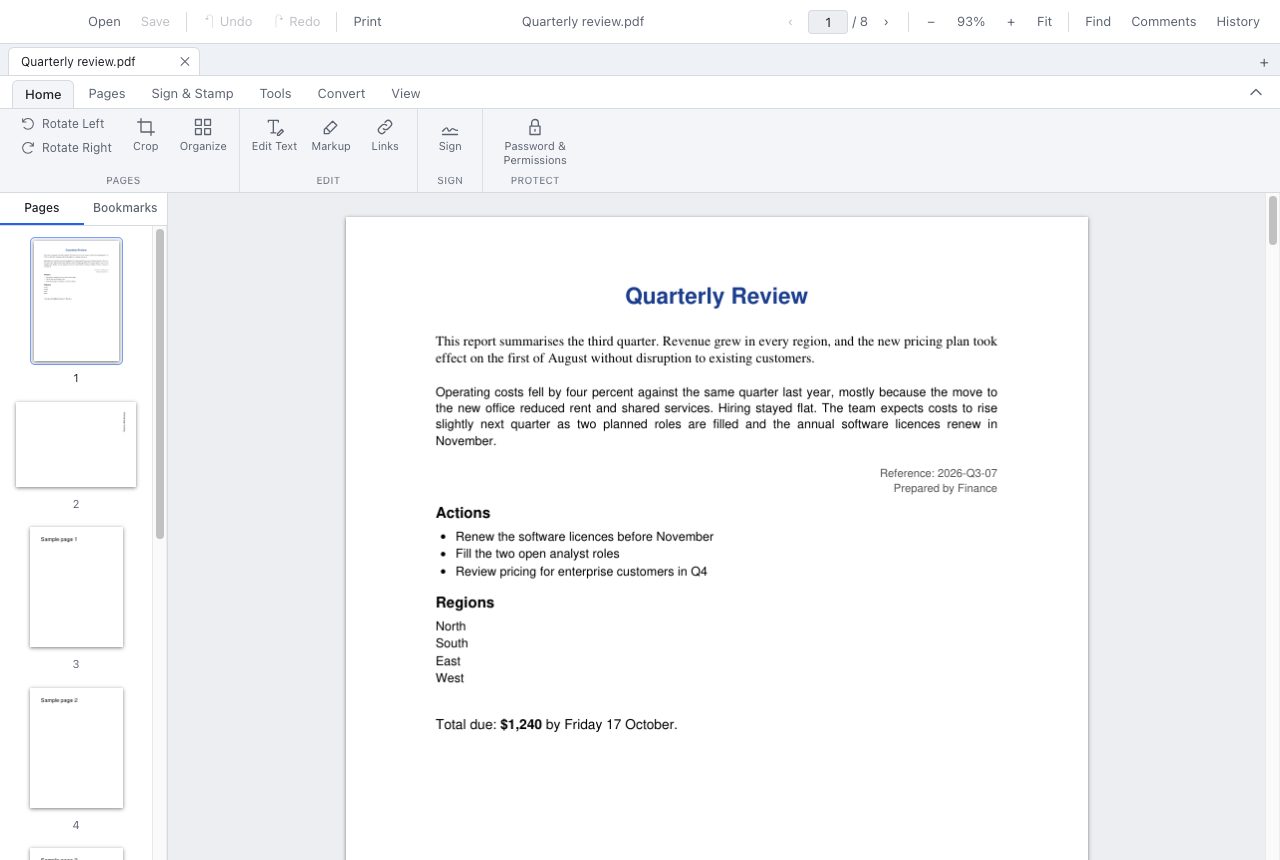
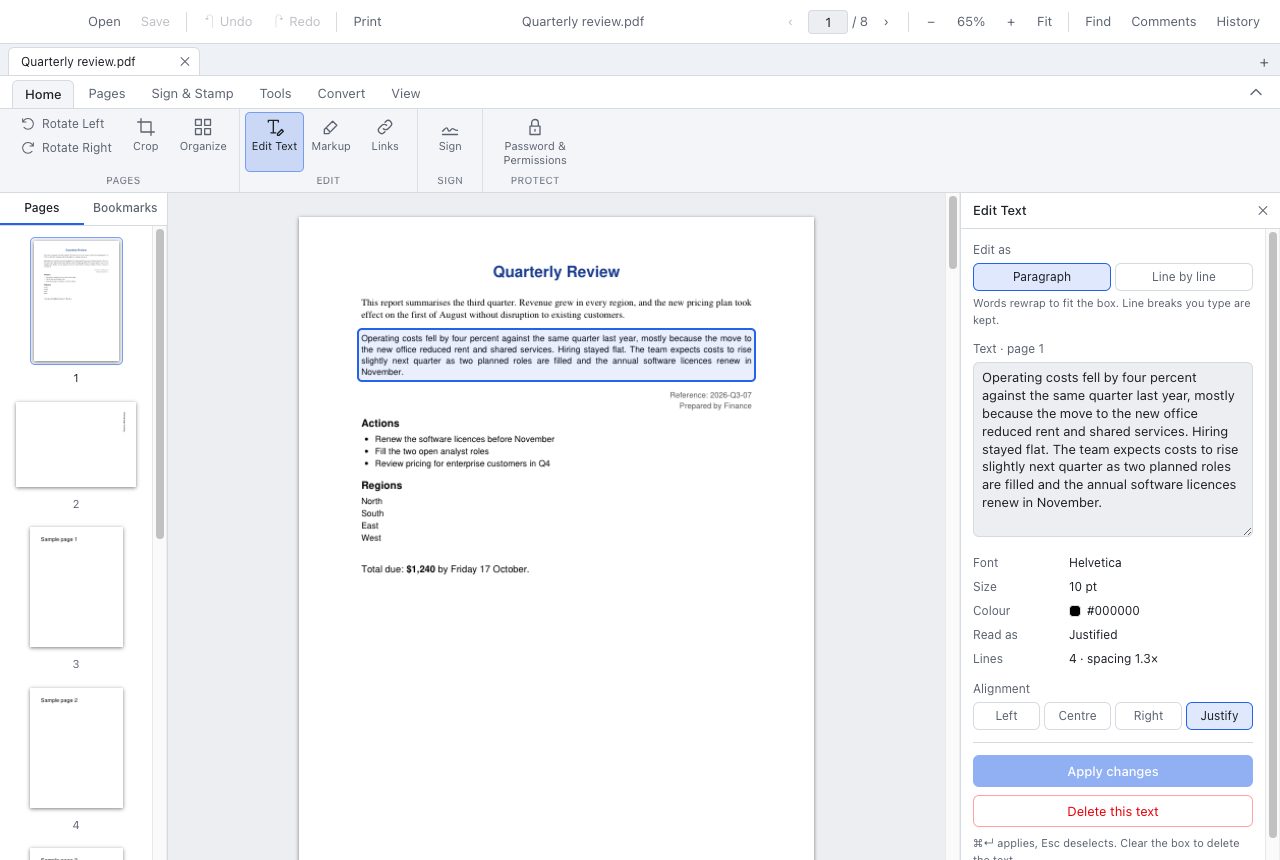
Edit the text itself
Change the words in a PDF, not just cover them. Paragraphs rewrap and the document's own fonts are kept.
Sign and fill in forms
Draw, type or import your signature, add dates, and fill in text fields, checkboxes and lists.
Redact for real
Permanently remove names, numbers and patterns such as tax file numbers, and clean hidden metadata.
Convert both ways
PDF to Word, Excel, text or images, and turn Word, Excel, pictures and web pages into PDFs.
Organise pages
Reorder, rotate, crop, insert, merge, split and extract pages with drag and drop.
Review and mark up
Highlight, draw, add shapes and sticky notes with replies, as standard comments anyone can read.
Made for RTOs and colleges too
Handle student paperwork without the privacy worries
Online PDF tools mean uploading student records to someone else's server. Eloom PDF Studio keeps every document on your own computers, so you stay in control of your data.
- Fill in and sign enrolment forms, agreements and declarations
- Redact student details before sharing documents with auditors or third parties
- Edit course outlines and policy PDFs without hunting for the original Word file
- Merge evidence packs and split large documents for submission
- Keep sensitive student records on your own computers, not online tools
System requirements
- Windows: Windows 10 or 11 (64-bit). No administrator rights needed, and it keeps itself up to date.
- Mac: macOS 13 Ventura or later (Apple silicon or Intel).
Buy it once, or subscribe
Perpetual licence
A$49
once, one computer
Subscription
A$7
a computer a month, down to A$3
Prices in AUD, including GST.
- 30-day free trial with every feature
- Perpetual: yours for good, with a year of updates (then A$25 a year, if you want them)
- Subscription: every update, any number of computers, 15% off yearly
- Every feature in every plan: no editions or add-ons
Try it free for 30 days
Every feature, no account, no card. Windows 10 and 11, macOS 13 and later.